
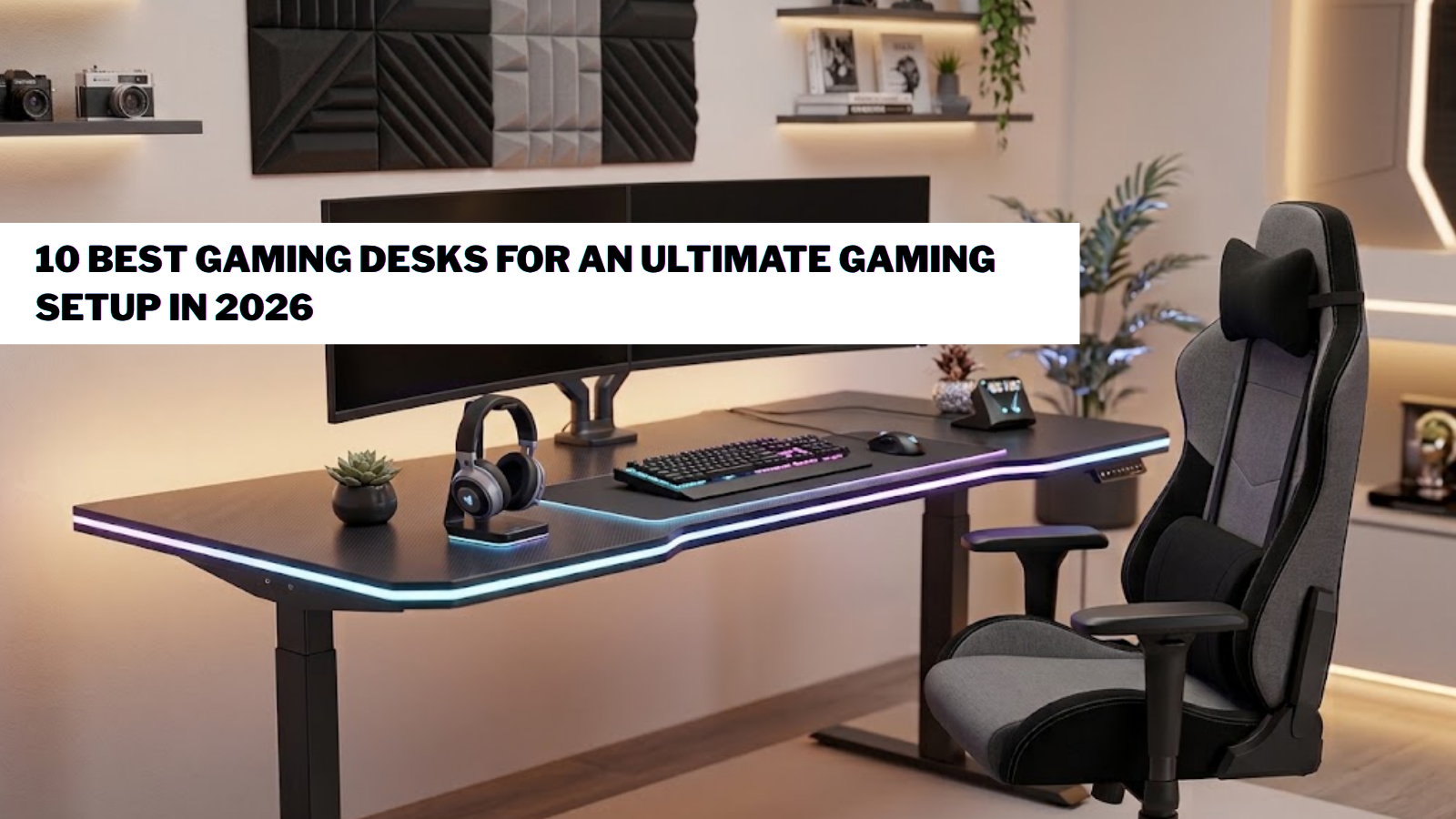
There is a good way to build a comfortable, organized gaming setup, starting with the right desk. A good one will not only hold your monitors and peripherals properly but also support your posture during a long session. Research in Applied Ergonomics has shown that you can ease the strain on your body by switching between sitting and standing, rather than remaining static. For the casual player or the competitive streamer as well, the best gaming desks you pick can have a major impact. A well-planned setup can also benefit from complementary office furniture, particularly when the same workspace is used for gaming, studying, or remote work.
Key Takeaways
- Modern gaming setups need the stability and organization that a quality desk offers.
- Electric models are popular for the flexibility they provide in moving from a seated to a standing position.
- Durable frames and thoughtful cable management work together with aesthetics like RGB lighting.
- Your room size and personal comfort should determine the desk that works best for you.
What Makes the Best Gaming Desks for Gaming? Features to Look For
It is not simply about finding a table with some RGB lights. A well-designed gaming desk is an efficient workstation that supports your equipment and your comfort. Today’s desks are built for the reality of having multiple screens, headsets, mics, and other gear available when needed.
Desk Size, Stability, and Build Quality
Desk size is very important. While a modest surface may suffice for a single monitor, those with dual screens or streaming hardware require more space so they do not feel restricted when using the mouse.
Looks are important, but a strong frame is what matters most when things get intense. Steel and solid tabletops offer the durability needed for a heavy rig. A modern office desk can provide the same combination of stability and clean design when a gaming setup also needs to function as a professional workstation.
Ergonomic Design and Height Adjustment
You will see electric height-adjustable desks in most top guides now for good reason. With the push of a button, you can choose a more ergonomic position for work or play. The motorized option is becoming the standard for its practicality.
A height-adjustable gaming table allows gamers to align their monitor, keyboard, and mouse placement more comfortably. This makes it easier to create a setup that matches your preferred playing position. For gamers who also work remotely, an office desk for home can provide a practical foundation for switching between professional tasks and entertainment.
Cable Management, RGB Lighting, and Gaming Features
A tangle of wires from a PC or charger can be unsightly. Good desks have routing holes and trays to keep the clutter under control and the workspace tidy.
RGB can certainly create the right atmosphere and make for an immersive environment, but it should enhance the desk’s utility, not substitute for it. In the end, a well-made desk should last for years while keeping everything organized.
10 Best Gaming Desks for Gamers and PC Setups
Whether you are after a compact piece for a small room or an advanced electric table for a high-end configuration, there is an option to suit your style and equipment. The following have been selected because they can support a modern setup that is both comfortable and functional.
Mige Gaming Desk Electric Height Adjustable RGB Gaming Table
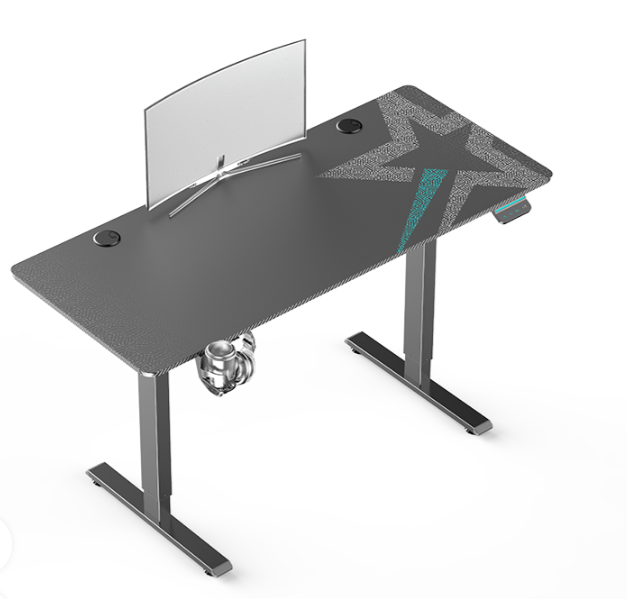
Alt text Black electric standing desk with monitor divider, cup holder, and cable management features.
Mige Furniture has created a desk that is both flexible and stylish. Where a conventional table has a fixed height, this one lets you set the height to your preference. The RGB gives it the right look for a dedicated gaming room or for streaming, and the ergonomics are well suited for anyone who divides time between gaming and remote work. It is a strong addition to a professional setup.
Pros
- Electric adjustment for ease of use
- RGB for added flair
- Ergonomic and modern
- Works for both gaming and office duties
Cons
- Takes up more room than a compact model
- The advanced options come at a higher cost
Secretlab Magnus Pro XL
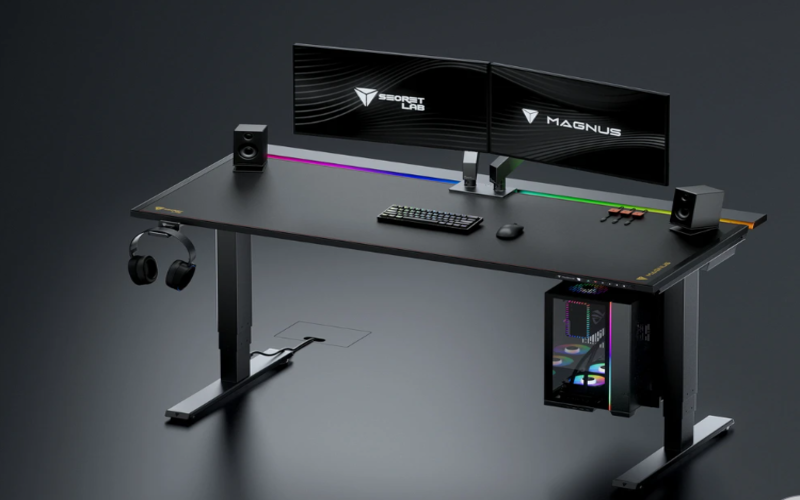
Image source: https//secretlab.com/
Alt text Black gaming standing desk with dual monitors, speakers, RGB lighting, and PC mount.
For those looking to make a lasting investment, the Magnus Pro XL is a premium choice. The strong frame and finish appeal to the serious gamer, and there is plenty of space for multiple monitors and accessories. Cable management is a priority here, which is vital for maintaining a clean station in a large PC build.
Pros
- Built for professional environments
- Superior cable management
- Large surface area
- High-quality build
Cons
- A higher price than the average desk
- May be too big for some rooms
Corsair Platform 4
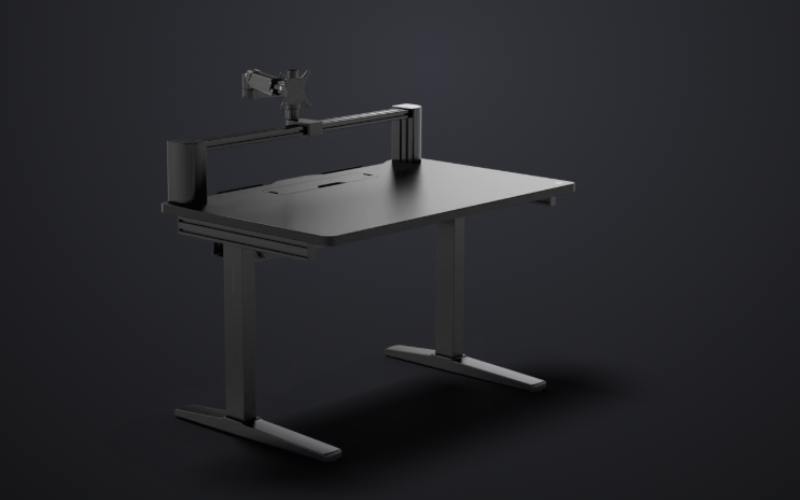
Image source: https//www.corsair.com/
Alt text Black adjustable standing desk with monitor arm and cable management tray.
With its modular design, the Corsair Platform 4 is a workstation of some flexibility for any gamer, streamer or content creator. One can put together an environment to suit their needs, be it with monitor mounts or other add-ons. The table has a certain clean look that fits right in with a modern gaming room, but it is also built for the more practical demands of those who have to make room for both work and play.
Pros
- Modern look
- Compatible with a range of accessories
- Flexible configuration
- Fits both streaming and gaming needs
Cons
- Premium price
- A full setup may require additional accessories
Autonomous SmartDesk 5
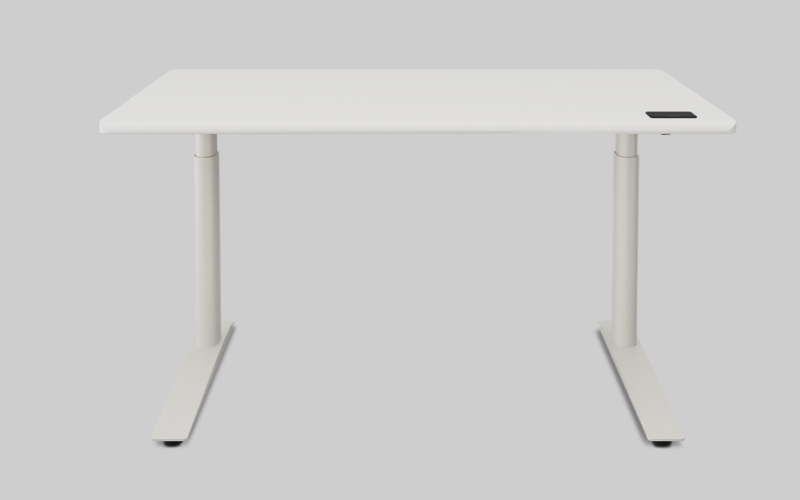
Image source: https//www.autonomous.ai/
Alt text White electric standing desk with dual support legs and rectangular desktop.
For those seeking an adjustable desk without the typical gaming aesthetic, the SmartDesk 5 from Autonomous is a sensible choice. The electric height adjustment makes it easy to change position during a long work or gaming session. It is well suited to the hybrid user who wants a piece of furniture that can double as a home office desk while blending in with any room style.
Pros
- Electric height control
- Minimalist design
- Comfortable for extended use
- Dual purpose for work and play
Cons
- Styling is less overtly “gaming”
- RGB options are limited
FlexiSpot E7L L-Shaped Gaming Desk
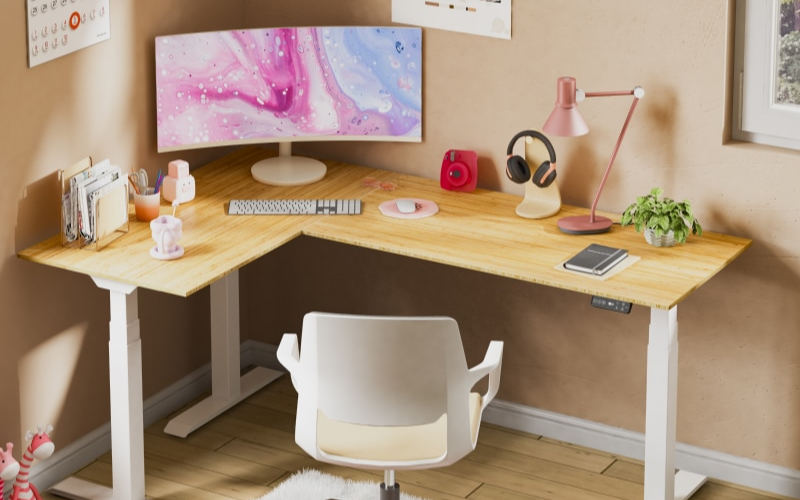
Image source https//www.flexispot.com/
Alt text White height-adjustable desk frame with dual motors and control panel.
When extra workspace is required, the E7L from FlexiSpot is an excellent choice. The L-shape gives you room to place your console, several monitors, and other equipment. It is a solid pick for a streamer or anyone running multiple devices from one spot, as the extra surface area helps separate creative and gaming tasks.
Pros
- Generous workspace
- Strong frame
- Corner-friendly
- Accommodates multi-monitor rigs
Cons
- Takes up more of the room
- Assembly is time-intensive
IKEA Utespelare Gaming Desk
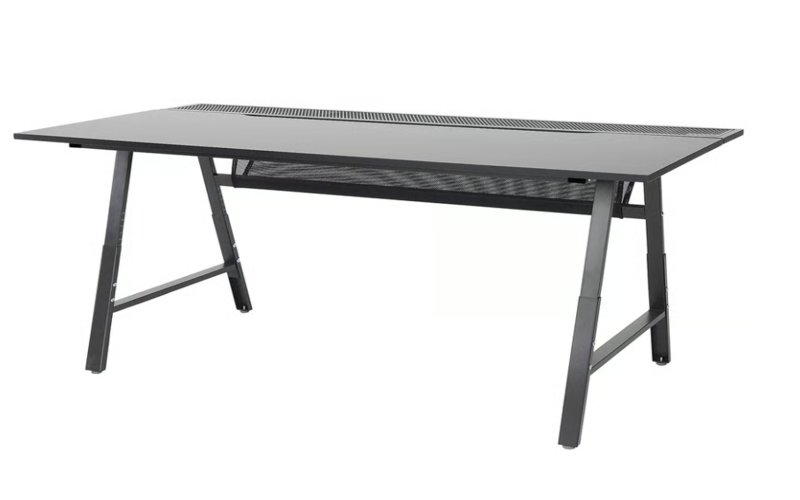
Image source: https//www.ikea.com/
Alt text Black gaming desk with transparent center panel and sturdy T-shaped legs.
The Utespelare is a practical option for gamers who do not want to pay for premium features. It can be assembled as part of a first PC setup, and its straightforward design is very accommodating for keyboards, monitors, and other equipment. There is no electric lift or RGB here, but it is functional enough for everyday gaming and leaves you free to add your own cable management and lighting.
Pros
- Good value
- Durable and simple
- Plenty of desktop space
- Open to customization
Cons
- Lacks built-in gaming tech
- No height adjustment
Blackyte Atlas Gaming Desk
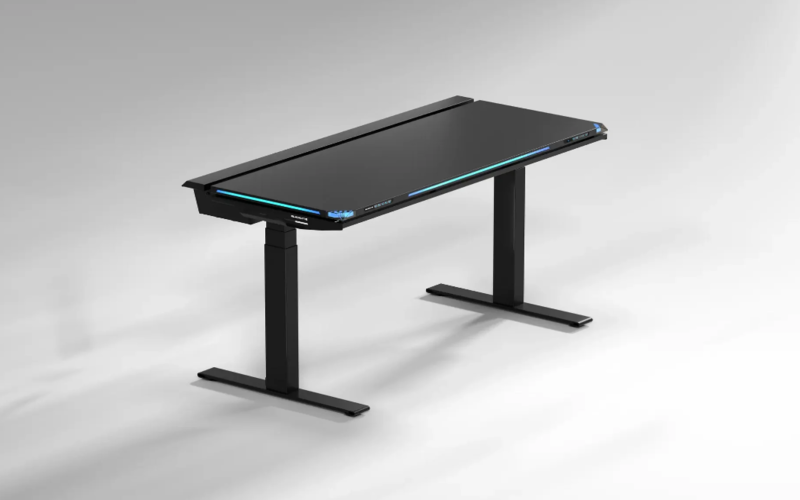
Image source: https//blacklyte.eu/
Alt text Black gaming desk with RGB edge lighting and adjustable legs.
Blackyte has created a premium and minimalist workstation with the Atlas. You will not find the bulk of some traditional desks; instead, there is a focus on quality materials and a smooth top for your mouse. It is the kind of desk a competitive player would want for a clean environment, and its sleekness complements a high-end room where the look of the gaming setup matters.
Pros
- High-quality build
- Smooth for precision gaming
- Minimalist style
- Fits with premium setups
Cons
- Not cheap
- Adjustability is somewhat restricted
Eureka Ergonomic Gaming Desk
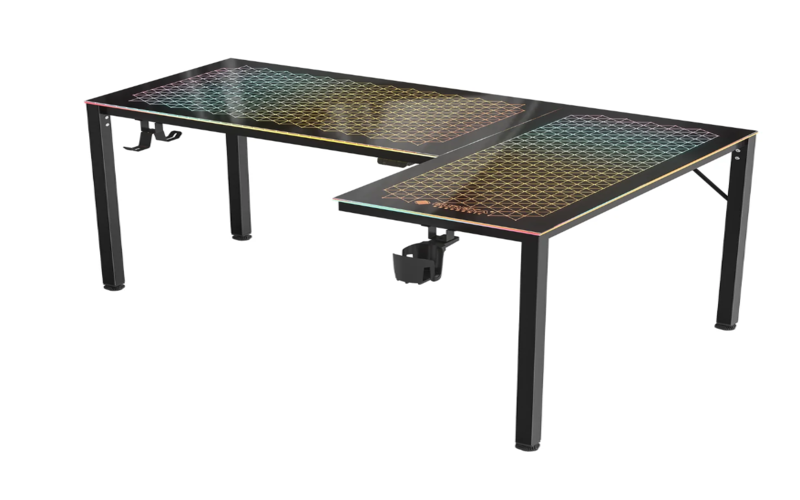
Image source
Alt text Black office desk with angled legs and built-in mesh cable management tray.
Eureka is known for large, ergonomically sloped surfaces, and this desk is no exception. With features like accessory storage and even RGB on certain models, it is a well-rounded offering. A streamer or content creator will find ample space to organize their equipment.
Pros
- Spacious for a gaming rig
- Well made for multiple monitors
- Design is focused on gamers
- Supports various accessories
Cons
- Some units are difficult to assemble
- Needs the space
Thermaltake Level 20 RGB Gaming Desk
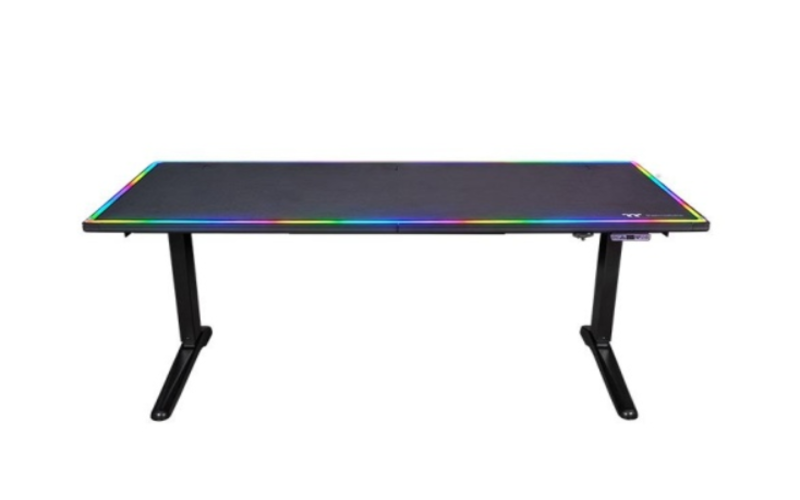
Image source: https//www.thermaltake.com/
Alt text Black adjustable gaming desk with RGB lighting and dual support legs.
If the goal is a visually impressive setup, the Level 20 delivers. The RGB is integrated into the desk to create the right atmosphere in the room. It is a good way to make the desk a focal point of the overall design while still providing a spacious surface for all your gear.
Pros
- Immersive with the built-in lighting
- Stylish
- Ample room for peripherals
- Made for the gaming environment
Cons
- The RGB comes at a cost
- Overkill for a basic setup
Lian Li DK Series Gaming Desk
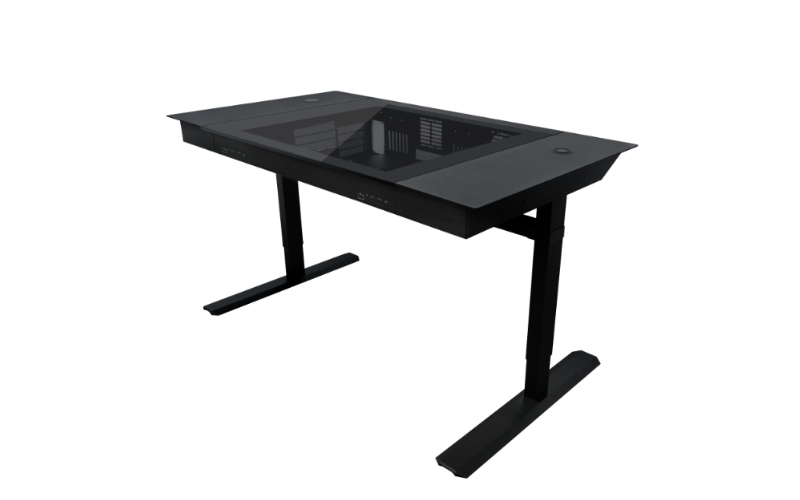
Image source: https//lian-li.com/
Alt text Black L-shaped gaming desk with RGB grid-pattern desktop and accessory hooks.
One of the more unusual entries on the market, the DK Series from Lian Li is for the enthusiast who wants to integrate the PC hardware into the workstation. It is less of a conventional desk and more of a showcase for the computer. An original approach for those wanting a high-end experience in their gaming room.
Pros
- PC and desk in one
- Standout design
- Premium feel
- Designed to showcase
Cons
- Very pricey
- Not for the average setup
How to Choose the Right Gaming Desk for Your Setup
The right gaming desk is about matching your equipment to your space and your playstyle. What might be fine for a casual gamer will not be suitable for a streamer running multiple monitors and an array of accessories.
If you are a competitive player, you want a surface that is as stable as it is roomy. A wider table gives you the freedom to move your mouse without restriction, and a solid frame is essential to keep things from shifting during intense gameplay.
Streamers and content creators have different requirements; they need a workstation with ample space for cameras, microphones, and lighting, along with the cable management needed to handle so many devices plugged in.
In a smaller room, a corner or L-shaped desk can be a good way to maximize the footprint without taking over the space. If you want both corner efficiency and height flexibility, an l shaped sit stand desk can be worth considering for a multi-monitor gaming setup. And for anyone spending several hours at a time, ergonomics should not be overlooked; an adjustable model makes it easier to maintain a comfortable posture.
Before making a purchase, take stock of your preferred style of setup, how much storage and cable control you need, and whether height adjustment is on the list. A good desk does more than look good; it organizes your gear and creates a comfortable environment for long sessions.
Benefits of an Electric Height-Adjustable Gaming Desk
Improved Comfort and Better Ergonomics
When your chair, monitor, and playing position are not in harmony, a long session can be uncomfortable. An electric adjustable desk allows you to adjust the height. You can put your keyboard and mouse in a natural position and set your monitor at eye level, something a fixed-height table cannot offer.
Switch Between Sitting and Standing Positions
With the press of a button, you can change your position rather than being fixed in one position for hours. That kind of flexibility is useful for more than just gaming; it also provides a practical workspace for remote work or streaming as well. A sit-to-stand desk can offer similar flexibility for people who divide long hours between gaming, working, and other computer-based activities.
Create a More Customized Gaming Setup
Preferences vary from one gamer to the next. Being able to tailor the desk height to your chair and monitor placement is a plus for competitive players and streamers alike. It helps to keep the various pieces of equipment, from mics to accessories, arranged in a way that suits you.
Enhance Your Gaming Room Design
An RGB electric desk adds both style and function to the room. The lighting can be used to match your other gear and create a more immersive atmosphere. But a quality piece of furniture also means a reliable motor, a durable top, and good cable management to keep things tidy. For users who prioritize long-session comfort, an adjustable height ergonomic desk can also help create a workstation that adapts to different sitting and standing positions.
In short, an electric height-adjustable desk can be the main feature of a complete workstation, combining modern design with the comfort and flexibility you need.
Conclusion
Your gaming desk should be more than just a place to put the computer. It affects the overall experience and organization of your setup. Whether you opt for a compact unit for a small room or an advanced RGB table with electric height adjustment, the best gaming desks choice will have the construction and features to support you through a long night of gaming.
For a modern approach that combines function with form, the Mige Gaming Desk Electric Height Adjustable RGB Gaming Table is a strong contender. Its design is focused on keeping your workstation clean and comfortable.
FAQs
1. What is the best gaming desk for PC gaming?
There is no single answer, as it depends on your requirements and the space available. You need a desk with the stability and surface area to accommodate your monitors and peripherals. Those with more elaborate rigs will likely want a larger model, whereas a compact design may be better suited to a smaller room.
2. Are electric height-adjustable gaming desks worth the investment?
For users who are at their desk for the better part of the day, yes. They offer the option to stand or sit when you want and let you customize the workspace to your liking.
3. How big should a gaming desk be?
It is based on your equipment. If you are running dual monitors, speakers, and other accessories, you will need a wide surface to allow for easy mouse movement. A compact table will suffice for a single-monitor arrangement.
4. Do RGB gaming desks improve gaming performance?
Not directly. Performance depends on your hardware and peripherals. But an RGB desk can certainly enhance the look of your setup and give it a more personalized feel.
5. What should I be looking for in a gaming desk?
You want a sturdy frame and a spacious tabletop made of durable materials. Look for solutions for cable management and any height options you might need. A properly designed workstation will keep your gear in order and be comfortable to use over time.


