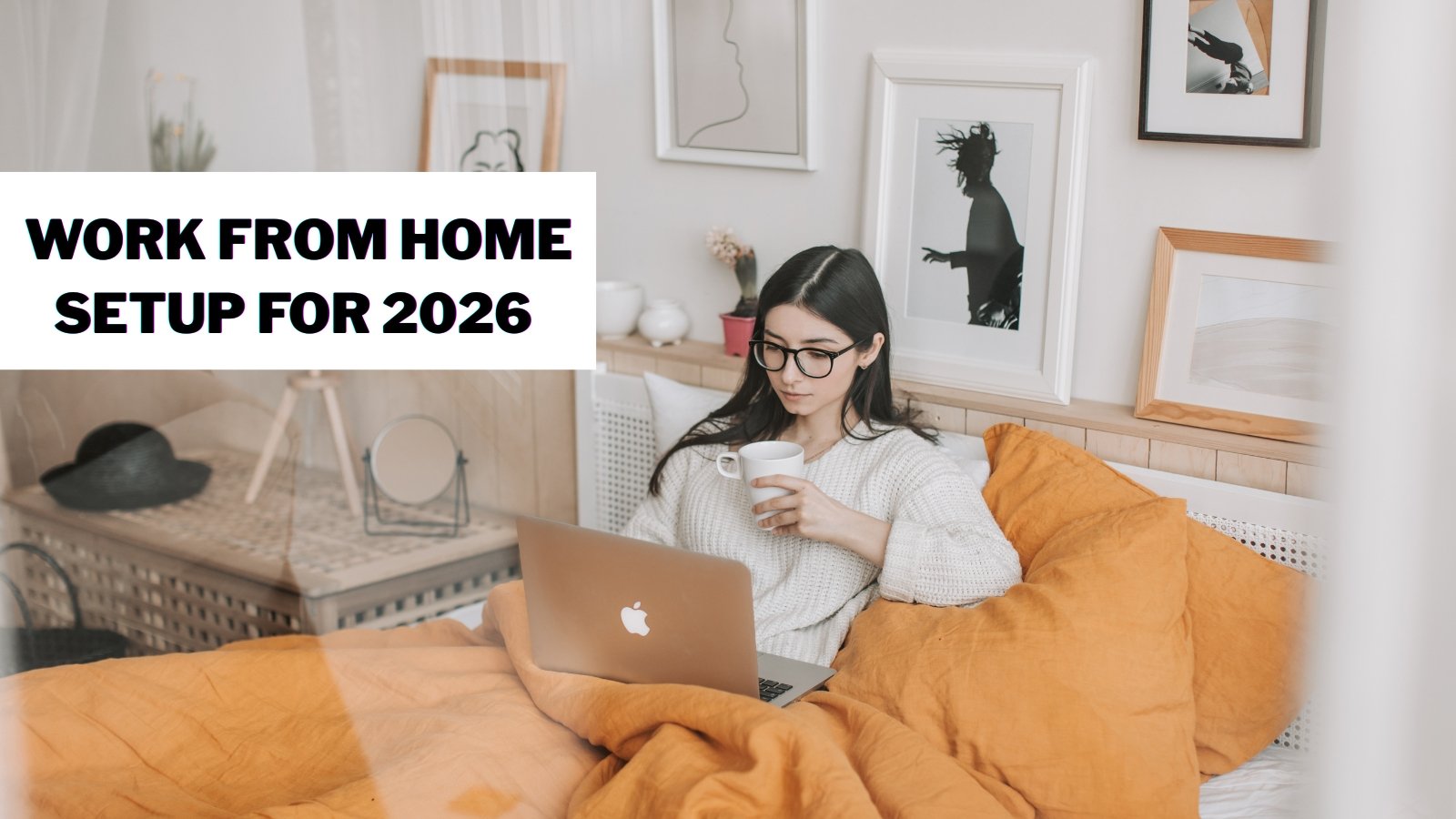
Your home office layout can directly influence your workday. Since 85% of employees now consider the flexibility of remote work more important than pay, it is more important than ever to design the proper workspace.
A properly planned working-at-home arrangement will not only increase the output, but also ensure the safety of health and comfort during the long days at work.
The appropriate furniture and design can change your mood and work. Poor ergonomics cause back pains, neck strains, and fatigue, but the good news is that simple upgrades can help significantly.
This guide includes all you require in 2026. We will discuss key pieces of furniture, design styles to follow, and useful setup tips.
Let’s build your ideal work-from-home setup.
Why Your Home Office Setup Matters More Than Ever?
Studies show the impact is real. 61.2% of home workers reported musculoskeletal discomfort during work from home. That includes neck pain, back aches, and shoulder strain.
According to the American Chiropractic Association, 92% of chiropractors reported patients experiencing more neck and back pain since working from home.
The working environment not only influences physical well-being. Firms that experienced ergonomic work environments experienced higher growth in employee satisfaction and productivity.
The bottom line? Home office investment is a pay-off. Furniture that is better translates into better health, increased concentration and increased production.
Essential Items for Your Work From Home Setup
To create a productive and comfortable home office, it’s important to start with the essential items that form the foundation of your setup.
- Office Desk
Your office desk is the foundation of everything. It defines how you sit, how comfortable you are and how you organize your workspace.
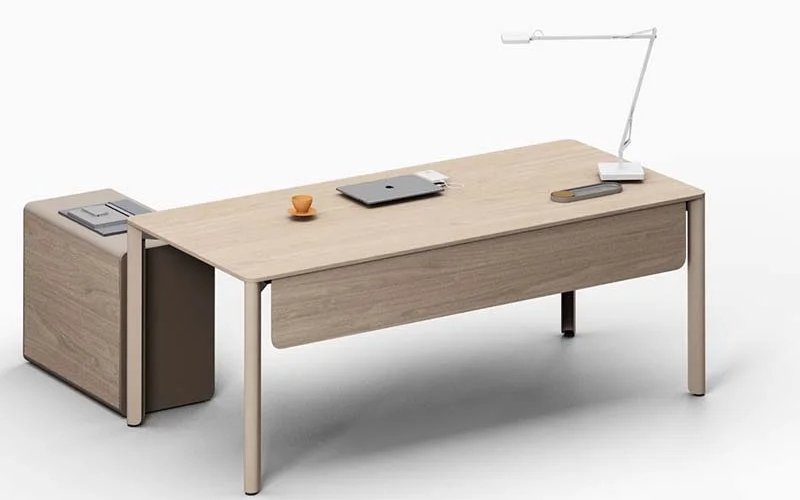
Height is also a consideration: You should have your desks set so your elbows are at a right angle while typing. Excessive or insufficient will result in wrist and shoulder strain.
Standing chairs are flexible: Height-adjustable desks prevent backache and cardiovascular diseases. Sitting and standing alternately makes your body active.
The advantages of adjustable desks are:
- Reduced back pain from prolonged sitting
- Better circulation throughout your body
- High energy levels at work.
- More enhanced concentration and clarity of mind.
Space considerations: L-shaped desks provide maximum workspace. They’re perfect for dual monitor setups or spreading out materials.
- Office Chair
Your chair supports you for hours daily. Make a wrong choice, and it will cost you pain.
Making the right chair choice will be more important than people think, as more of us are considering our comfort and the proper support in our day-to-day sitting.
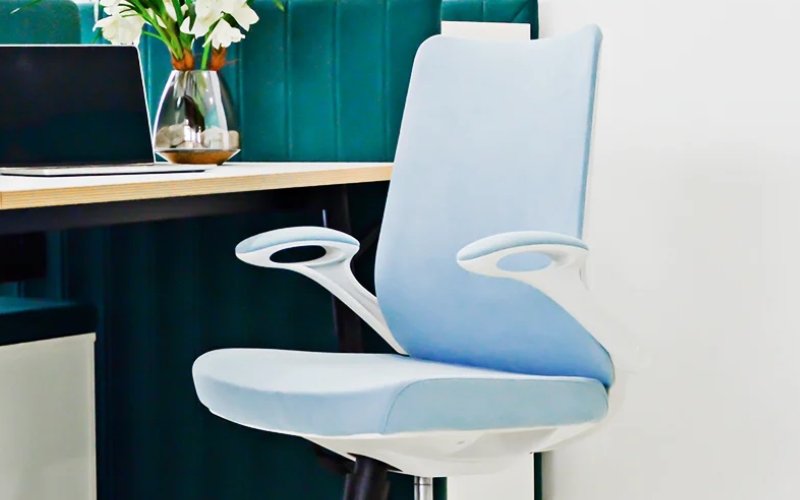
Key features to look for:
- Lumbar support for your lower back
- Adjustable seat height (18-22 inches works for most)
- Seat depth adjustment for thigh support
- Reclining backrest for position changes
- Adjustable armrests to reduce shoulder tension
- Breathable mesh or cushioned fabric
The right chair prevents chronic pain. It keeps your spine aligned and reduces pressure points.
- Computer Monitor Setup
Eye strain ruins productivity fast. Your screen position makes all the difference.
Proper placement rules:
- Top of monitor at or slightly below eye level
- 20-30 inches from your face
- Screen tilted 10-20 degrees upward
- Perpendicular to windows to reduce glare
Using a laptop? Get a stand. 75% of home workers use laptops, but most positions are too low.
External keyboards and mice let you raise the screen while keeping your hands comfortable. This simple fix prevents neck pain.
- Power Solutions: USBs & Adapters
Dead devices kill momentum. Plan your power needs carefully.
Essential power setup:
- Surge protectors (not just power strips)
- Wall-mounted or desk-mounted outlets
- Cable management clips and ties
- Multiple USB charging ports
Keep charging cables accessible but organized. Nothing’s worse than hunting for chargers mid-workday.
- Keyboard & Mouse
Your hands connect you to work. Protect them with proper tools.
Ergonomic designs help prevent:
- Carpal tunnel syndrome from repeated strain
- Wrist pain from awkward angles
- Forearm fatigue from extended use
Wireless options reduce desktop clutter. They also let you adjust the position freely.
Keep wrists neutral—not bent up, down, or sideways. Add a wrist rest if needed.
- Headphones
Meeting serves as a communication tool, and the quality and clarity of audio during meetings are more effective.
Noise-canceling benefits:
- Blocks household distractions
- Improves concentration on tasks
- Enhances virtual meeting quality
- Reduces mental fatigue
Good headphones create your private workspace, even in busy homes.
- Webcams & Microphones
Video calls are standard now. Looking and sounding professional builds credibility.
Investment benefits:
- Clearer video than built-in laptop cameras
- Better audio quality for communication
- Professional appearance on calls
- Improved lighting and framing options
Position your webcam at eye level. This creates natural eye contact during meetings.
- Desk Accessories
Organization prevents chaos. The right accessories keep essentials within reach.
Functional additions:
- Desk organizers for pens and supplies
- Monitor stands with storage underneath
- Cable management boxes
- Plant holders for greenery
- Pen holders and document trays
Make your place your own and make it personal to you, but make sure it is not cluttered: everything on it should serve a particular purpose and should bring something to your room.
- Ergonomic Footrest
Your feet need support, too. Dangling legs cut off circulation.
Benefits of footrests:
- Improved blood flow to the lower legs
- Reduced pressure on thighs
- Better posture alignment
- Less lower back strain
Inspiring Work From Home Setup Styles
Creating an inspiring work-from-home setup isn’t just about furniture—it’s about blending comfort, functionality, and personal touches to boost creativity and focus.
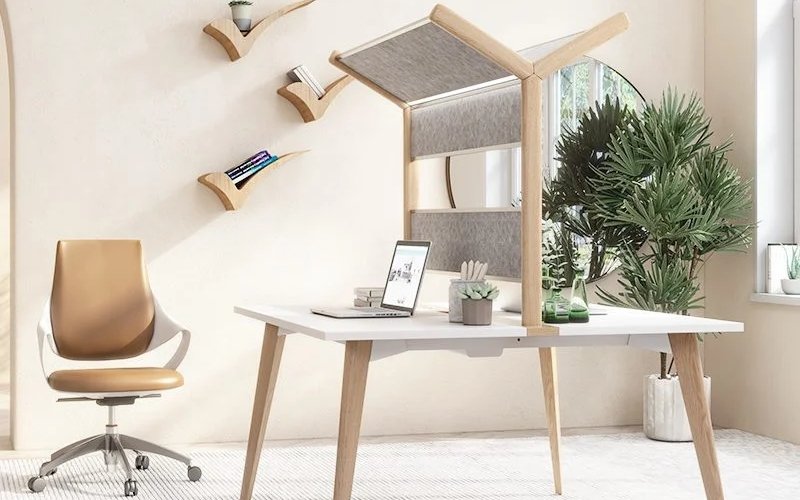
- Natural Green Workspace
Bring nature indoors for calming energy. Bring nature outdoors to generate soothing energy. Plants are not only beneficial to air quality.
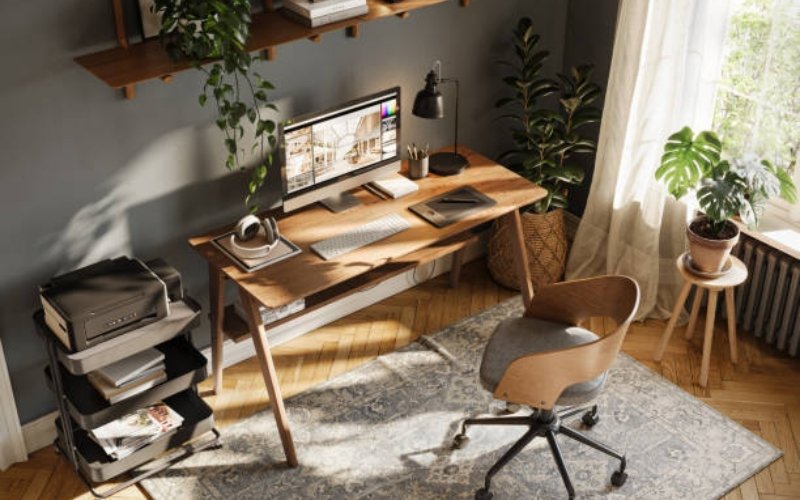
They also help to sustain the mind. Place potted plants on desks and shelves, place on L-shaped desks to create ample work-flows, select natural wood furniture finishes and maximize large windows to help enjoy natural light.
Green workspaces minimize stress levels, enhance creativity, and produce an invigorating, inspirational ambiance.
- Shared Stand-Out Desk Spaces
Working at home does not imply working alone since most households have more than one remote worker. Focus could be kept, using dual workspace solutions, such as a cubicle workstation, privacy panels, and personal storage.
The synchronized yet different styles enable everybody to customize his or her location. Shared rooms should be divided so as to establish visual differentiation without affecting the room flow.
- Minimalist Style
Less is more for many workers. Clutter-free spaces enhance focus with clean lines, simple shapes, limited colors, hidden storage, and only essential items visible.
Minimalism reduces decision fatigue, allowing your brain to concentrate on work instead of surroundings, while multifunctional spaces remain a top home office trend
- Contemporary Style
Modern tech needs modern design. Contemporary offices embrace current trends.
Contemporary features:
- Clean lines and geometric shapes
- Smart device integration
- Neutral colors with bold accents
- High-tech accessories
Tech-heavy jobs benefit from this aesthetic. Everything has its place and purpose.
Work From Home Setup Ideas by Workstyle
Let’s look at work-from-home setup ideas designed for various workstyles, helping you stay comfortable, focused, and productive.
Creative Professionals
Artists, designers, and creators thrive in inspiring environments. Your workspace should be designed to spark imagination and fuel creativity
Creative workspace needs:
- Large desk surfaces for projects
- Organized storage for supplies
- Natural lighting for color accuracy
- Mood boards and inspiration displays
- Flexible furniture arrangement
Consider using standing desks to support active work. Incorporating movement throughout the day can fuel creative thinking and boost productivity.
Tech-Heavy Jobs
Developers, analysts, and IT professionals need robust, well-organized setups to stay productive during long hours.
Tech-focused features:
- Dual or triple monitor stands
- Ergonomic keyboard and mouse
- Cable management systems
- Soundproofing for concentration
- Adequate power outlets
Investing in quality ergonomic furniture ensures comfort, focus, and efficiency at your workstation.
Writers & Bloggers
Writers need minimal distractions and maximum comfort, so simple setups often work best. Consider these writer-friendly space features:
Writer-friendly spaces:
- Minimalist desk designs
- Comfortable, supportive seating
- Good lighting (natural or warm LED)
- Quiet environment
- Inspiring decor elements
Smaller desks help writers stay focused, as limited space naturally minimizes clutter and keeps attention on the creative process.
Zen-Inspired Workspaces
Peaceful environments foster mindful work, helping you stay calm, focused, and centered. Consider these Zen-inspired design elements
Zen design elements:
- Neutral, natural color tones
- Minimalist furniture selections
- Natural elements (plants, stones, water)
- Uncluttered surfaces
- Soft, diffused lighting
By reducing visual and mental clutter, this style eases stress, enhances concentration, and creates an ideal setting for high-pressure, focused work
Workspace Layout Principles
Use the concept of the work triangle used in kitchen design in your workspace, having items used regularly nearby so that you can easily access them and save on time and movement that brings about wastage.
A good layout plan places your computer and keyboard in the first zone, reference materials in the second, and supplies or storage in the third zone, and ensures that you keep the movement paths free, thus keeping similar items together and grouping others to save time.
Simultaneously, your working environment could identify your professional identity and choose design elements that reveal your values and personal style, making the workspace more functional, organized, and individual.
Tips for Creating Your Ideal Work From Home Setup
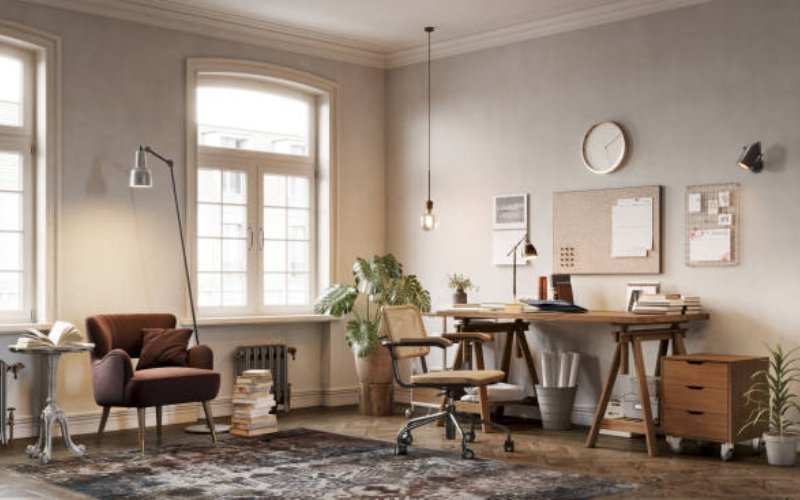
Prioritize Ergonomics First: Your health isn’t negotiable. Start with a proper chair and desk before aesthetic upgrades.
Musculoskeletal disorders account for over 30% of workplace injuries. Prevention is easier than treatment.
Optimize Your Lighting: Poor lighting causes eye strain, headaches, and fatigue. Layer your lighting for the best results.
Personalize Your Space: Your office has to be a place that feels like home-put personal touches that make you feel better, but not to the extent of showing too much personality.
Stay Organized Daily: Clutter kills productivity. Develop end-of-day cleanup habits.
Maintain Work-Life Boundaries: Physical separation maintains mental separation. Create boundaries in the workspace to help you focus, be productive, and have a better work-life balance.
About Meet&Co Office Furniture
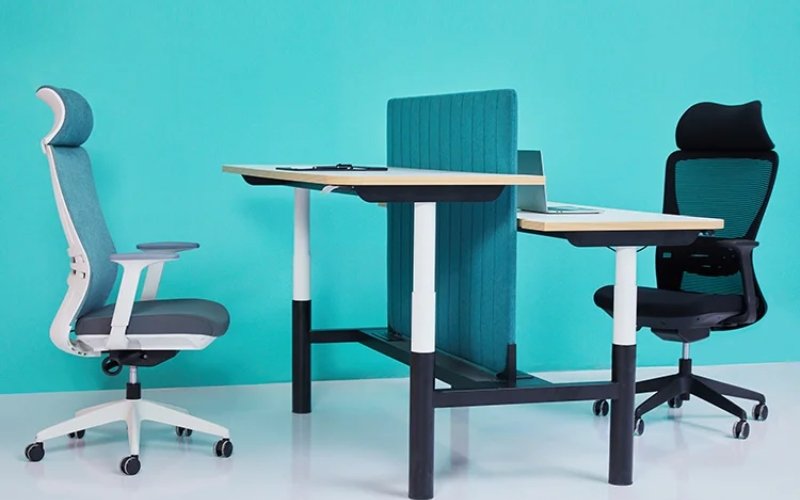
Creating the perfect work-from-home setup requires the right furniture partner. Meet&Co Office Furniture specializes in ergonomic, high-quality office solutions.
Established in 2007, we’ve focused on modern workplace needs for over 15 years. Based in Guangzhou, China, with locations in Singapore, the Philippines, and India, we serve 100,000+ enterprise customers across 100+ cities worldwide.
Why choose Meet&Co Furniture:
- Ergonomic designs promoting health and comfort
- Factory-direct pricing for exceptional value
- Professional-grade quality for home offices
- Customizable options (sizes, materials, colors)
- 3-5 year comprehensive warranty coverage
Our collections feature innovative solutions for every workspace. We understand remote workers need professional-quality furniture. Our ergonomic chairs support healthy posture during long workdays. Our height-adjustable desks let you alternate positions throughout the day.
Meet&Co Furniture combines functionality with aesthetic appeal. Our contemporary style and clean lines suit any home decor style. If you prefer minimalist, modern, or traditional designs, we have something for you.
We are determined to assist you in creating your dream workspace. Visit our website to explore our full range of home office solutions. Transform your work-from-home setup with furniture designed for performance and comfort.
Frequently Asked Questions
Q1: What is the most important item for a work-from-home setup?
Your most important investment flagship is an ergonomic chair. You will be sitting 6-8 hours a day, and the lack of support leads to chronic pain.
Find adjustable lumbar support, seat height and armrests. Quality chairs help avoid long-term and long-lasting musculoskeletal issues.
Q2: How can I set up a home office in a small space?
Use vertical storage to maximize floor space. Choose compact, multipurpose furniture like wall-mounted desks.
Consider foldable options you can store when not working. Keep only essential items visible. Small spaces work great with minimalist design approaches.
Q3: Should I place my desk near a window?
Yes, if possible. Natural light controls your circadian rhythm and makes you feel better. However, avoid direct glare on your screen.
Make sure that your desk faces perpendicularly rather than facing the windows. Make use of the daytime brightness by using curtains or blinds.
Q4: How important is monitor height?
Extremely important. Your monitor’s top should sit at or slightly below eye level. A screen too low causes neck strain.
Too high creates eye strain. Position monitors 20-30 inches from your face. Use monitor stands or books to adjust height as needed.
Conclusion
Your work-from-home setup directly impacts your health, productivity, and job satisfaction. The right furniture and organization transform how you feel throughout each workday.
Start with ergonomic basics: a supportive chair and proper desk height. Add lighting that reduces eye strain. Organize your space for maximum efficiency. Personalize with elements that inspire you.
Remember that your workspace evolves with your needs. Start simple and upgrade gradually. Listen to your body’s signals. Adjust furniture positions as needed. Don’t ignore discomfort—it’s your body asking for change.
Check Meet&Co Office Furniture’s complete collection of ergonomic desks, chairs, and office solutions to create your ideal work-from-home setup for 2026.
Let’s build a workspace that works as hard as you do.


