

Introduction
If you’re looking for the best office chair for back pain, you’re probably already feeling the pinch.
Over the past ten years, in the office furniture industry, I have personally tested hundreds of office chairs, working with both corporate buyers and individual users.
I’ve found that most “best office chair recommendations” simply list products without offering advice on how to choose a chair or providing ergonomic testing, which doesn’t truly help users solve their back pain problems.
In this guide, Meet&Co will offer entirely new content not found in other guides, focusing primarily on recommending suitable office chairs based on budget, type of back pain, and usage duration.
Furthermore, this guide is also suitable for users who want to clearly compare the pros and cons of different chairs. Now, let’s dive in!
Before You Buy: Identify Your Back Pain Type
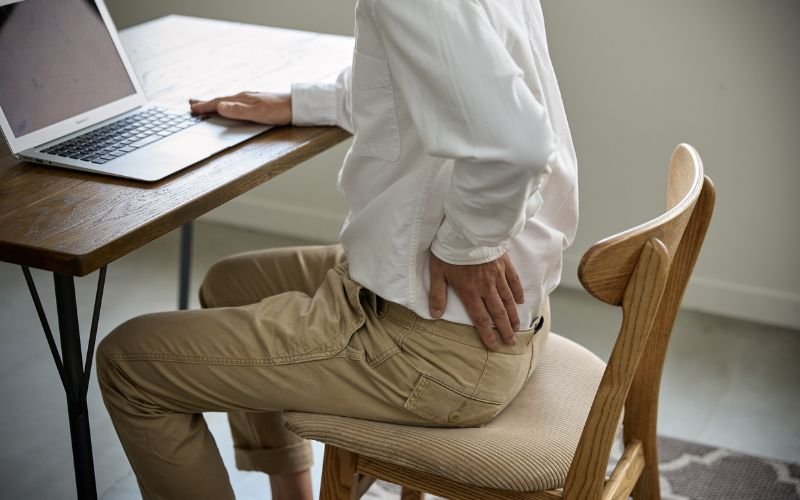
The same chair can relieve one person’s pain but worsen another’s. Therefore, before choosing a chair, it’s essential to determine the type of back pain you have.
Based on clinical experience, user feedback, and ergonomic research, back pain can be categorized into four main types:
1. Lower Back Pain (L4–L5) — The Most Common
Typical symptoms:
- Lower back soreness after prolonged sitting
- Increased pain when bending over
- Lumbar stiffness after prolonged work
Recommended chair features:
- Adjustable, conformal lumbar support
- Deep lumbar curve (not straight)
- Slightly forward-leaning seat
Example: Budding Ergonomic Mesh Office Chair, Sihoo Doro C300
2. Upper Back/Neck Pain (Including Forward-Leaning Type)
Typical symptoms:
- Prone to slouching after prolonged sitting
- Tight neck and shoulders, sore scapula
- Frequent need for a massage to relax
Recommended chair features:
- High back structure
- Scapular support point design
- 4D armrests (reduces shoulder unsupported position)
Example: Style High Back Office Chair, Steelcase Gesture Chair
3. Hip/Coccyx Pain (Ischial Pressure Type)
Typical symptoms:
- Hip pain after prolonged sitting
- Extreme discomfort sitting on a hard chair
- Pressure sensation in the coccyx
Recommended chair features:
- High-resilience seat cushion
- Butterfly-shaped seat structure
- Waterfall-style seat surface (reduces thigh pressure)
Example: Herman Miller Embody, Allsteel Acuity
4. Sedentary Fatigue Type (6–10 Hours Daily)
Typical symptoms:
- Feeling tired after sitting for a long time (afternoon)
- Needing to frequently lean back to rest
- Feeling like you can’t maintain your posture
Recommended chair features:
- Dynamic reclining mechanism
- Gravity-sensing support
- Elastic mesh fabric
Example: Steelcase Karman, Meet&Co High End Ergonomic Mesh Office Executive Chair
2026 Best Office Chairs For Back Pain (Expert-Tested & Ranked)
To objectively select the 5 best office chairs for back pain, we adopted the following core criteria:
- Ergonomic Design: Whether the backrest structure, lumbar support, and tilt mechanism truly conform to spinal biomechanics.
- Long-Term Sitting Comfort Test: Sitting for 4–10 hours to verify the stability of support and its ability to reduce fatigue.
- Materials and Durability: The quality and lifespan of the chassis, gas spring, and mesh/foam.
- User Review Trends: Long-term reputation across multiple platforms, rather than a single rating.
- Price and Value: Whether it offers reasonable features and performance at its price point.
Best Overall – Budding Ergonomic Office Chair
Recommendation reasons:
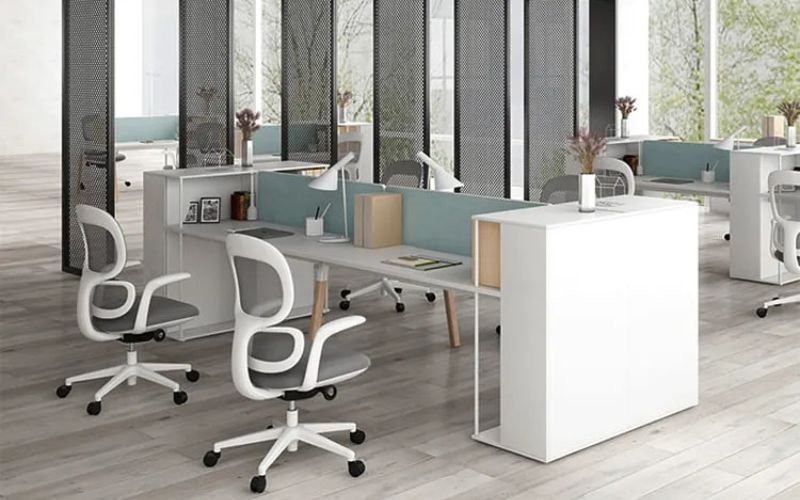
The core advantage of the Budding Ergonomic Office Chair lies in its multi-functional chassis, which supports precise angle adjustment from 90 to 135 degrees and multiple locking positions.
Combined with a synchronized tilt mechanism, it allows for smooth and seamless posture transitions, perfectly adapting to different scenarios such as office work, reading, and napping.
Its ergonomic lumbar support design precisely conforms to the natural curve of the lower back, reducing lumbar pressure and strain from prolonged sitting.
Suitable for:
- Users who want to recline and rest after prolonged sitting, and those with lumbar muscle strain.
- Users seeking a customized sitting posture.
- First-time ergonomic chair buyers with a limited budget.
Key advantages:
- Integrated 3D armrests, adjustable up/down, left/right, and forward/backward.
- Three-stage reclining lock.
- Breathable and elastic mesh fabric, resistant to deformation.
- Adjustable seat depth (suitable for different heights).
- High-quality PU casters, smooth and noiseless movement.
Disadvantages:
- Headrest is only available with custom orders.
Best Affordable Under $200 – Sihoo M18 Chair
Recommendation reasons:
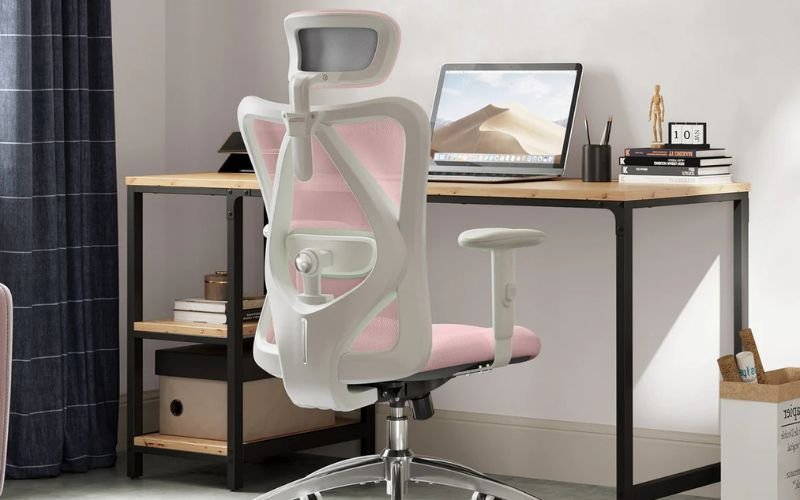
The Sihoo M18 Chair is an affordable, feature-rich, and stylish office desk chair.
Its highlights include a dual-adjustable lumbar support and a four-way adjustable headrest, breathable high-tenacity polyester mesh fabric, and a soft, comfortable high-sponge seat cushion, making it ideal for prolonged sitting, such as office work or gaming.
In addition to standard seat height adjustment, it also supports fore-and-aft seat depth adjustment, a backrest that can recline up to 126 degrees, and an extendable footrest, allowing for relaxation during lunch breaks and relieving stiffness after prolonged sitting.
Suitable for:
- Users with lower back strain or a stiff neck.
- Those seeking a dual-mode “office + lunch break” experience.
- New graduates entering the workforce.
Key advantages:
- Multi-dimensional adjustment: adjustable lumbar support, headrest, seat height, and depth.
- Adjustable 2D armrests.
- Mesh and sponge fabric for comfort and breathability.
- Extended footrest.
- High weight capacity: up to 150 kg.
Disadvantages:
- Slight wobbling in the armrests during height adjustment.
Best For All-Day Sitting – Style Modern High Back Office Chair
Recommendation reasons:
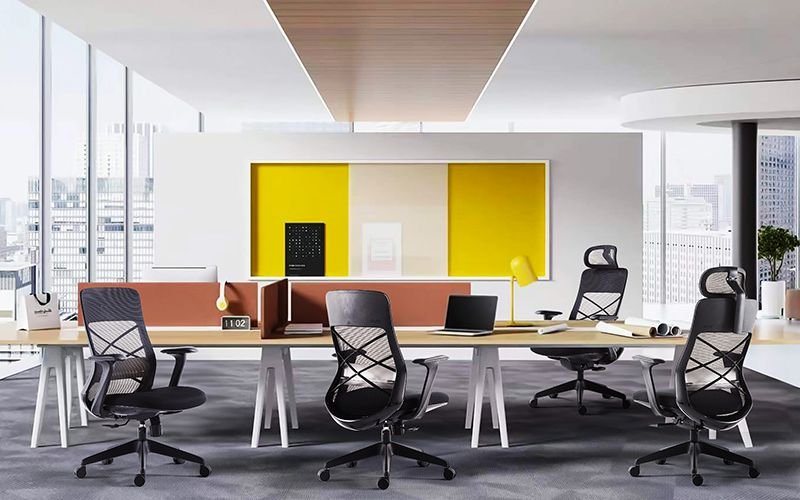
The Style Modern High Back Office Chair features a high-density molded foam seat cushion with moderate softness, distributing pressure on the buttocks and enhancing comfort during extended sitting.
The included headrest is adjustable in height and position to conform to the neck’s curve.
The footrest is retractable and foldable, easily supporting the legs when lowered to alleviate leg fatigue from prolonged sitting, and taking up minimal space when folded. It adapts to different sitting postures and office scenarios.
Suitable for:
- Designers/Programmers and other individuals who sit for long periods under high pressure.
- Small office spaces.
- Users who frequently change sitting positions.
Key advantages:
- High back design conforms to the natural curve of the spine.
- Durable and resistant to deformation.
- Available in multiple mesh fabric colors.
- Easy to assemble and highly stable.
- High-density foam provides a soft feel and prevents sagging.
Disadvantages:
- The backrest is slightly firm.
Best For Lower Back Pain (L4–L5) – Steelcase Leap Chair
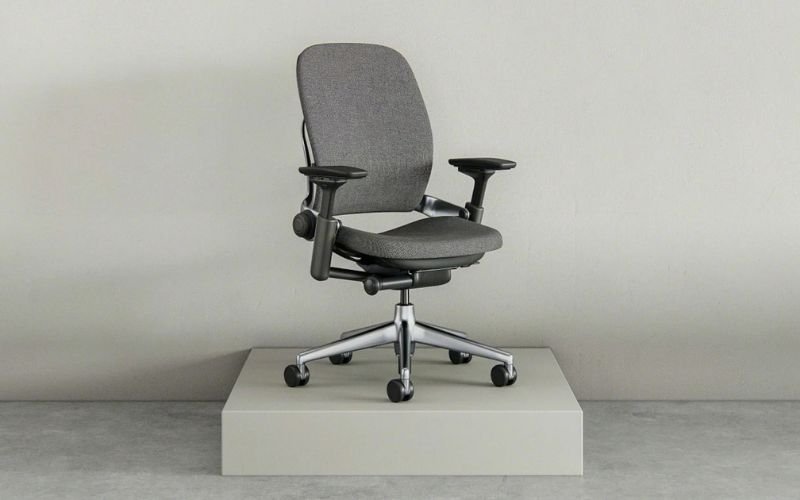
Recommendation reasons:
The Steelcase Leap Chair is a widely recommended high-end office chair designed with ergonomics in mind, particularly in its support for the back and lumbar region.
Featuring the brand’s patented LiveBack technology, the backrest dynamically adjusts to the user’s posture, automatically conforming to the natural curve of the spine.
Whether you’re sitting upright or reclining, it provides precise support for the lumbar, thoracic, and cervical spine, making it suitable for those who sit for long periods in the office and require a comfortable and healthy posture.
Suitable for:
- People who work long hours or sit for extended periods.
- People with lumbar or back problems.
- People who seek personalized adjustments.
Key advantages:
- LiveBack technology.
- Fully adjustable functions (seat height, seat depth, back support, and backrest tilt are all adjustable).
- Excellent comfort and breathability.
- Flexible adaptation to different heights and body types.
- Simple and elegant design, suitable for various office settings.
Disadvantages:
- The Steelcase Leap is a high-end office chair, and its price is relatively high.
Best Ergonomic Options – Meet&Co High End Ergonomic Mesh Chair
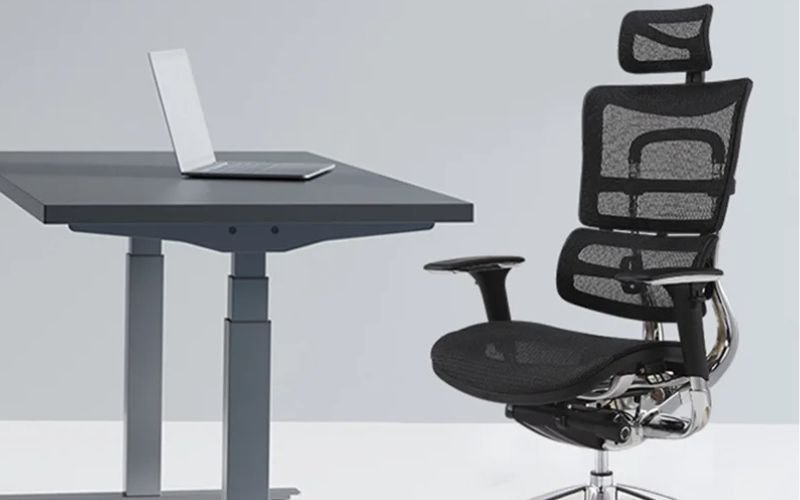
Recommendation reasons:
The Meet&Co High End Ergonomic Mesh Chair is also a fully adjustable chair.
It features an adjustable headrest, 3D armrests (supporting multi-directional adjustment), and a seat that slides forward and backward with depth adjustment.
The wired control chassis includes height adjustment and synchronized tilt locking, accommodating different heights, body types, and postures, from upright sitting for work to reclining for relaxation.
Suitable for:
- Users with high demands for comfort and stability.
- Frequent mobile office users.
- Home office workers/corporate office workers.
Key advantages:
- Allows reclining for relaxation or a lunch break.
- Uses imported mesh fabric for excellent breathability and prevents sweating.
- Nylon frame with five-star base provides good load-bearing capacity and stability without wobbling.
- Flexible and noiseless movement.
- Customizable seating posture.
Disadvantages:
- For heavier users (e.g., over 100kg), the mesh fabric may sag and provide insufficient support.
A Look At the Best Office Chairs For Back Pain In 2026
The following comparison chart focuses on the core needs of relieving back pain, selecting popular models at different price points and suitable for various body types.
It visually presents key dimensions such as lumbar support type, armrest adjustment, and target audience, helping you quickly find a healthy office companion that suits your needs.
| People with a budget below $500 | Budding Ergonomic Office Chair | Sihoo M18 Chair | Style Modern High Back Office Chair | Steelcase Leap Chair | Meet&Co High End Ergonomic Mesh Chair |
|---|---|---|---|---|---|
| Price Range | $455 – $625 | Around $149.99 | $298 – $428 | $1000+ | $2025 |
| Lumbar Support Type | Adaptive Three-zone Spring Lumbar Support | Dual-adjustable (Up&Down + Front&Back) Lumbar Support | Fixed Curvature Lumbar Support | LiveBack® Dynamic Lumbar Support + Tension Knob Adjustment | Multi-stage Adjustable Lumbar Support |
| Armrest Adjustment | 3D (Up&Down + Front&Back + Angle) | 2D (Up&Down + Angle) | Fixed | 4D (Height + Width + Depth + Swivel) | 3D (Up&Down + Front&Back + Angle) |
| Recline Mechanism | 3-position Locking (90°-135°) | 3-position Locking (126°) | 3-position Locking (105°-135°) | Full Recline + 4-position Angle Lock + Upright Lock | 135° Continuous Locking |
| Seat Depth | Sliding Adjustable | 42.7-45.1cm | Fixed (Approx. 52cm) | Sliding Adjustable | Sliding Adjustable |
| Mesh/Seat Cushion Material | Shaped Sponge Cushion + 100% Polyester Wear-resistant Sofa Fabric | Breathable Mesh + W-shaped Sponge Cushion | New PP + Fiber Support Mesh Back, High-density Sponge Cushion | 3D Woven Mesh / Fabric / Leather Optional | Imported Mesh + High-density Sponge Cushion |
| Suitable For | Users who want to recline after long sitting, or those with lumbar muscle strain Users pursuing a customized sitting posture First-time ergonomic chair buyers with a limited budget | Users with lumbar muscle strain or a stiff neck People pursuing “office + noon break” dual scenarios Newcomers to the workplace | High-pressure sedentary groups like designers/programmers Small office spaces Users who frequently change sitting postures | People who work or sit for long hours Those with lumbar or back problems People pursuing personalized adjustment | Users with high requirements for comfort and stability Frequent mobile office workers Home office workers / Corporate office groups |
| Not Recommended For | People with height < 155cm or > 190cm | People with a weight of > 136kg | People with extremely high requirements for lumbar support | People with budget below $500 | People who prefer traditional chair styles |
Expert Advice: How To Choose The Best Chair For Your Back Pain
Choosing the right chair to relieve back pain can significantly reduce discomfort, improve posture, and increase overall work efficiency.
Below is a comprehensive guide to help you choose the right chair based on your type of back pain and needs.
However, before you begin, please carefully read the sections above on how to determine your type of back pain and recommended chair features.
1. Ergonomic Design and Adjustability
Choosing an ergonomically designed chair ensures comfort and health. Here are some important adjustment features:
Lumbar support
Adjust the height and depth of the lumbar support to ensure it properly supports your lower back, helping to maintain the natural curve of the spine and preventing hunching or poor posture.
Seat height and depth adjustment
The seat height should be adjusted so that your feet can rest flat on the ground when you sit, with your knees and thighs at a 90-degree angle.
The seat depth should be suitable for your leg length, ensuring there is 2-3 finger widths of space between your thighs and the backrest.
Armrest adjustment
The armrests should be adjustable in height, forward/backward, left/right, and even angle to reduce the feeling of your shoulders and arms being unsupported and alleviate neck and shoulder pressure.
Backrest reclining function
The backrest reclining function helps reduce continuous pressure on the lower back when occasionally leaning back while working.
When choosing a chair, ensure the backrest can be freely adjusted and locked at a comfortable angle.
2. Comfort and Long-Term Use
Comfort is a core consideration when choosing a chair. The following points can help you determine if a chair is suitable for extended use:
Seat cushion comfort
When sitting for long periods, the seat cushion should provide sufficient support without feeling too firm. Moderate seat firmness helps distribute weight evenly and reduces pressure on the hips.
Back support
The adjustability of back support is crucial, especially lumbar support. Adjust the lumbar support and backrest to ensure they conform to the natural curve of the spine and provide continuous support.
Long-term use comfort test
It’s best to sit in the chair for at least 20 minutes before purchasing to experience its comfort and support, and feel its support for the lower back, back, and hips.
3. Materials and Durability
The material of a chair directly affects its comfort and durability. Here are some common chair materials:
Mesh
Mesh fabric is breathable, suitable for extended use, effectively reducing heat buildup and keeping the user dry. Suitable for users who need to sit for long periods.
Leather
Leather chairs have an elegant appearance, suitable for office environments, but are less breathable than mesh fabric, and can feel stuffy after prolonged sitting.
Upholstered fabric
Upholstered fabric chairs are relatively comfortable, but their durability and breathability are slightly inferior to mesh and leather.
Durability
The chair’s core components, such as the chassis, gas spring, and frame, should be made of high-quality materials to ensure the chair’s stability during long-term use.
4. Check User Reviews and Feedback
Before purchasing a chair, it’s crucial to review other users’ reviews. User reviews can tell you how the chair performs in actual use, especially feedback from people with back pain.
- User Comfort: Does the chair remain comfortable even after prolonged use?
- Back Pain Relief: Have others experienced back pain relief?
- Durability and Quality: Is the chair prone to damage, and can it maintain its comfort over time?
How To Properly Adjust Your Office Chair?
Properly adjusting your office chair is key to avoiding back pain, neck discomfort, lumbar spine pressure, and improving posture.
- Seat Height: Ensure your feet are flat on the ground, with your knees and thighs forming a 90-degree angle.
- Seat Depth: When your buttocks are fully against the backrest, there should be 2-3 finger widths of space between the backrest and the back edge of your knees.
- Lumbar Support: Align with the natural curve of your lower back. Ideally, the lumbar support should be positioned at the lower part of your back, filling the gaps in your spine.
- Backrest Recline Angle: A recline angle between 100 and 110 degrees provides adequate support.
- Armrests: The ideal armrest height allows your arms to hang naturally with your elbows at a 90-degree angle.
- Headrest: Align with the natural curve of your neck. Ideally, the headrest should just touch the middle of your neck; it should not be too high or too low.
- Seat Forward Tilt Angle: A slight forward tilt of 5–10 degrees helps maintain anterior pelvic tilt and reduces lower back strain.
Conclusion: Finding The Best Office Chair For Back Pain
Finding the best office chair for back pain hinges on understanding your type of back pain and identifying your specific needs.
When choosing a chair, prioritize adequate lumbar support, adjustability, and comfort.
Whether you opt for a high-end chair like the Steelcase Leap Chair or a more cost-effective option like the Budding Ergonomic Office Chair, prioritize ergonomically designed chairs. These will help you sit more comfortably and reduce the risk of back pain.
If you need more high-quality ergonomic chairs, Meet&Co Office Furniture offers a range of comfortable, supportive office chairs that perfectly address the back pressure caused by prolonged sitting.
Related Articles:
- Best Affordable Office Chair in 2025: Top Ergonomic Picks
- What is an Ergonomic Chair and Where to Find a Wholesaler
FAQ
Q1: What type of office chair is best for back pain?
The best office chairs for those with back pain are those with ergonomic design, adjustable lumbar support, and adjustable seat height and tilt angle, such as the Budding Office Chair.
Q2: What chairs do chiropractors recommend for an office?
Chiropractors often recommend ergonomically designed office chairs, especially those with dynamic adjustment features that can be tailored to individual needs to provide optimal back support and comfort.
Q3: Which type of chair is best for long sitting for back pain?
Ergonomic office chairs that offer multi-dimensional adjustable lumbar support (such as adaptive, up/down/forward adjustment) and support seat depth sliding are ideal for relieving back pain from prolonged sitting.
Chairs with a backrest that conforms to the lumbar curve, like the Herman Miller Aeron, are particularly effective.
Q4: How to adjust an office chair for lower back pain?
When adjusting your office chair to relieve lower back pain, ensure the seat height allows your feet to rest flat on the ground, adjust the lumbar support to conform to the natural curve of your lower back, and adjust the backrest tilt angle to maintain correct posture.


